
- Training
- Service
- Promotion
- Schedule
- Testing Center
- News
- Contact
1/19/2024


APPLIES TO: Power BI service
Before your business can start using Copilot capabilities in Power BI, you need to enable Copilot in Microsoft Fabric.
Note
When you use Copilot for Power BI, you can quickly create report pages with just a few clicks. Copilot can save you hours of effort building your report pages.
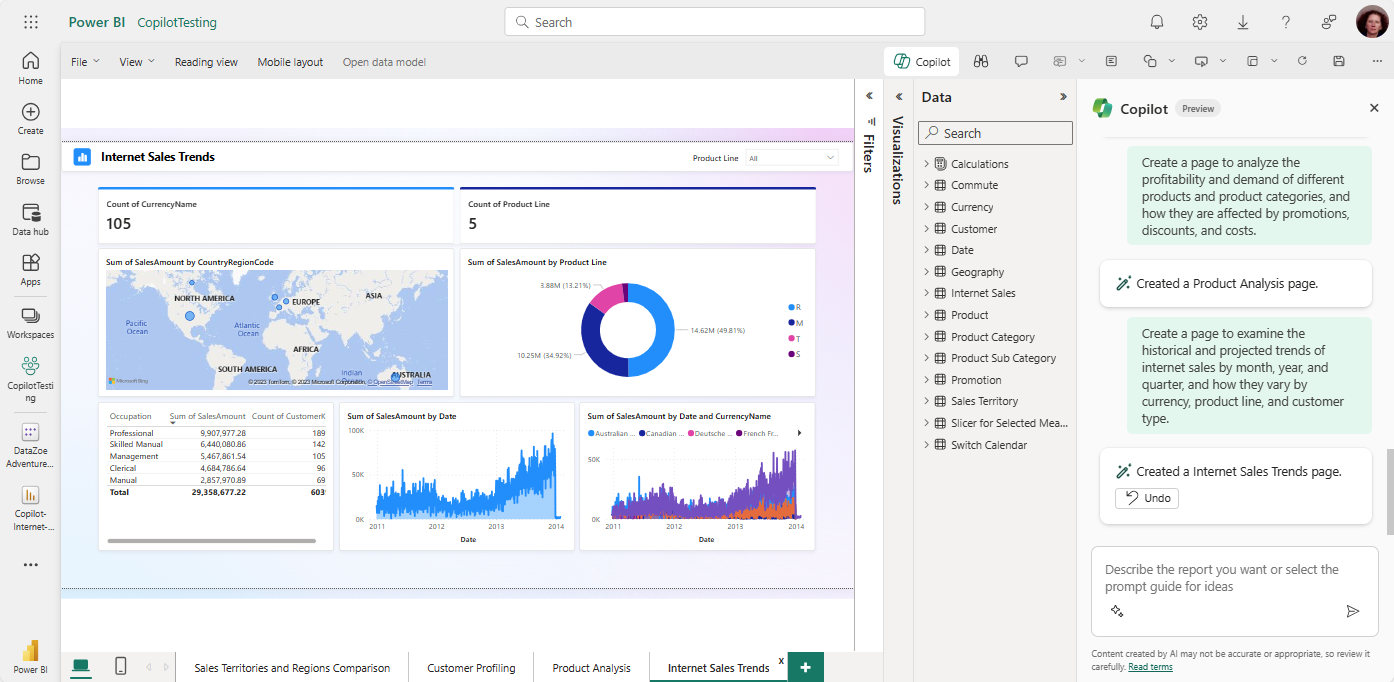
You may need to do some clean-up work on your dataset. Read the article Update your data model to work well with Copilot to see if you need to modify your semantic model so that Copilot will get insights from it.
To see the Copilot button in your report, you first need to select a semantic model.
1. Select the Data hub, then select More options (...) for the dataset you want to explore > Create report.
2. In the ribbon, select the Copilot icon.
Tip: If you don't see Copilot, your admins may not have enabled it, or you may not have selected a semantic model. Select a semantic model to see it.
3. In the Copilot pane, select Suggest content for this report. Copilot evaluates the data and makes suggestions.
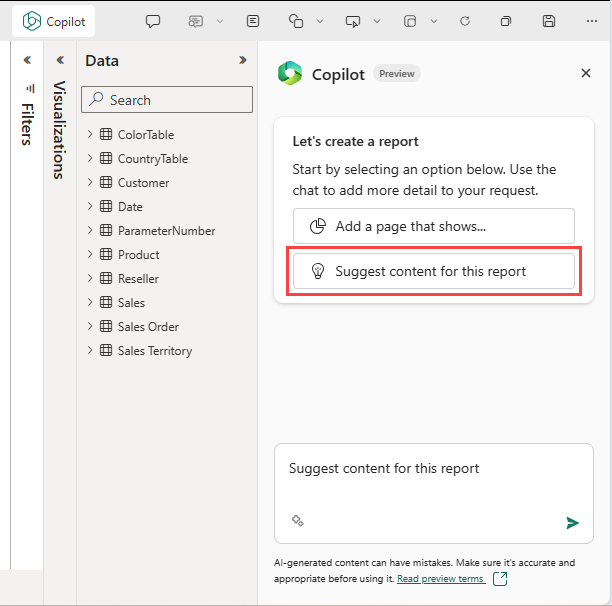
Copilot suggests possible pages for your report.
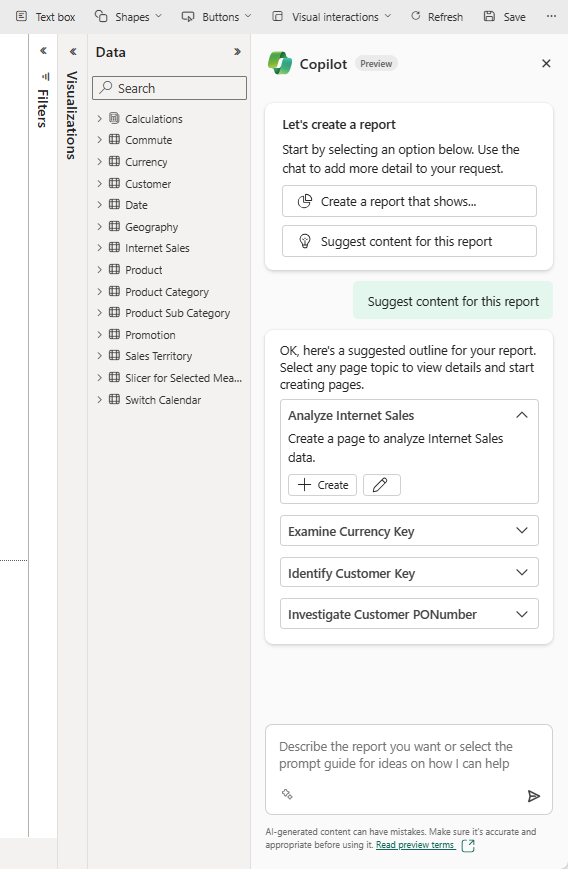
4. Select Create next to the first page you want Copilot to create.
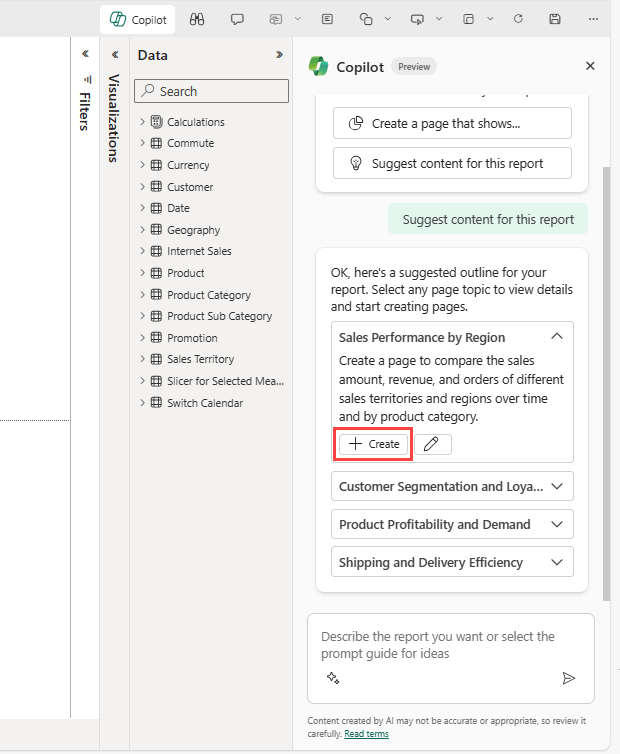
Copilot creates that page.
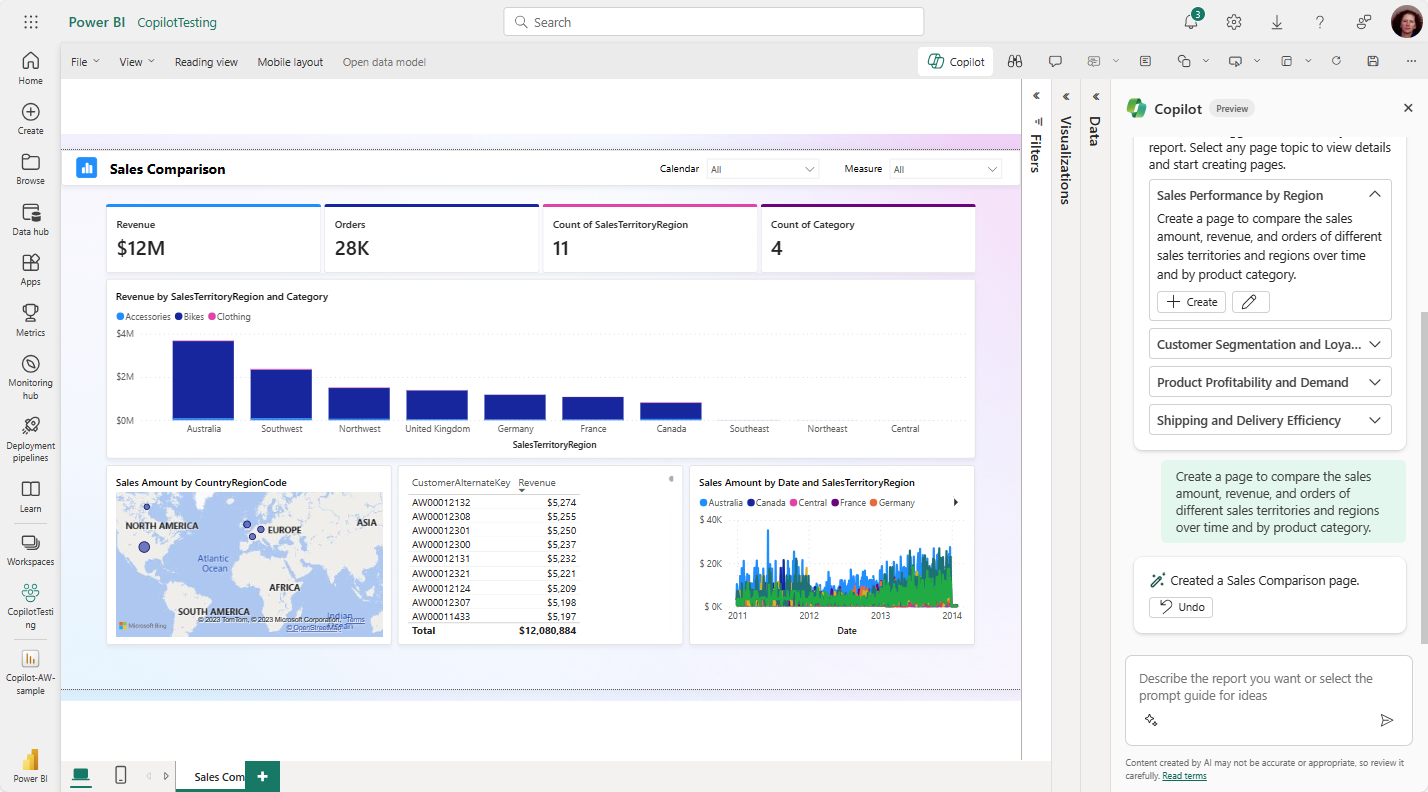
Continue creating the pages that Copilot suggests. Otherwise select Create a report that shows and provide guidance on what you want in the report.
5. If you need help with writing prompts that get you the report page you want, see Write Copilot prompts that produce results in Power BI for guidance.
You can also use Copilot for Power BI to create a narrative summary with just a few clicks. This narrative can summarize the entire report, specific pages, or even specific visuals.
After Copilot has generated the report, then you can review the page. You have the option to start over by selecting the Undo button. After you select the Undo button, Copilot starts over. The content on the page is removed and you start over with topic selection by either generating new topics or selecting the one from the top, when you first started.
When you're satisfied with the report, you save the report just like any other report. If you close and reopen the report that Copilot generated in the Power BI service, the report is in Reading view and you don't see Copilot.
We're continuously working to improve the quality of the report pages, including visuals and summaries generated by Copilot. Here are the current limitations.
Source: learn.microsoft.com

12/11/2025


